 WaSparks
A customer fills a cart, then leaves. For an online store, that is the most expensive silence there is: someone who already wanted the product, and stopped one step short. WhatsApp looks like the perfect way to bring them back, because people read it.
It is also easy to get wrong. The common mistake is to fire off a discount code within minutes, to everyone, whether or not they agreed to hear from you. Customers block the number, report it, and the quality rating of your WhatsApp number drops. This guide shows a three-message sequence that is firm enough to recover carts and polite enough to keep your number healthy. If you want to build it visually, the chat flows page shows how flows work.
Before anything else: permission
WhatsApp is not email. Meta requires you to have a customer’s opt-in before you send business-initiated messages. For cart recovery, that means:
- The customer agreed to receive WhatsApp messages from you, for example by ticking a box at checkout that mentions WhatsApp.
- They can say stop easily. In WaSparks, a customer who replies STOP is excluded from every future campaign.
- You only message customers who gave a number and agreed.
If you do not have opt-in, do not send the sequence. It is the single biggest cause of blocks and reports.
Why the aggressive approach backfires
Too early. A message five minutes after someone leaves may reach them while they are still browsing.
Too pushy. An immediate discount teaches customers to abandon carts on purpose.
Too many. Four or five messages in a day reads as harassment.
Too generic. A message that does not mention the product feels like a mass blast.
Reports and blocks lower your quality rating, which can slow your messaging limits and put your number at risk.
The three-message sequence
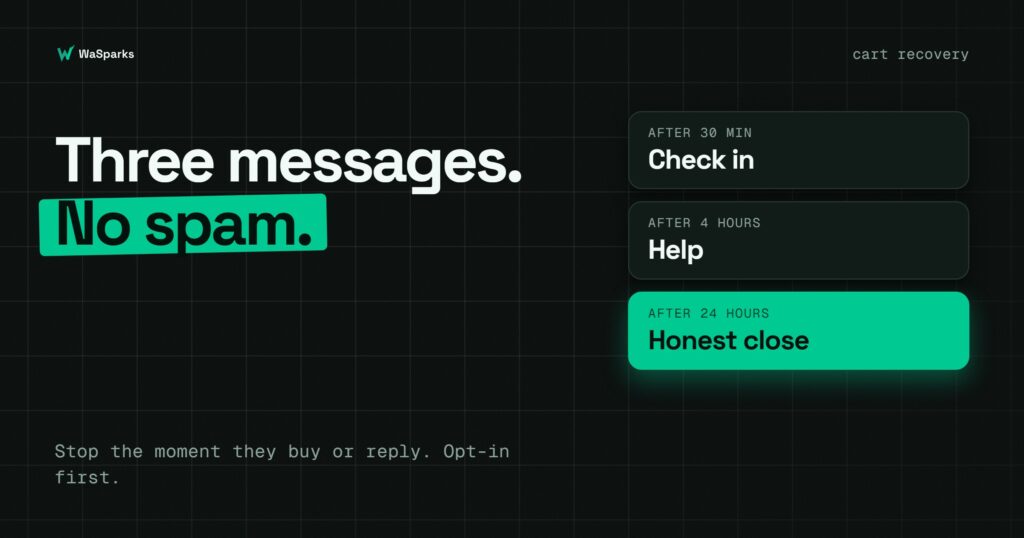
Each message has a different job. The first checks in, the second helps, the third closes politely. All three are marketing templates, because they encourage a purchase, so they are billed at the marketing rate and need Meta’s approval before you can use them.
Message 1: the check-in (about 30 minutes later)
Purpose: find out whether something went wrong. Not a sales message.
Hi {{1}}, we noticed you left {{2}} in your cart. Did anything go wrong at checkout? Reply here and we’ll help.
What it does: opens a conversation. If the customer replies, a person can take over, and the 24-hour window is open for a free-form reply.
Message 2: the help (about 4 hours later)
Purpose: remove a doubt. Offer something useful, such as sizing help, delivery times or payment options.
Hi {{1}}, if you have questions about {{2}}, such as delivery time or sizes, we’re happy to help. Reply here and our team will answer.
What it does: positions your team as a helper, not a pest. It can use a quick-reply button such as “Talk to us”.
Message 3: the close (about 24 hours later)
Purpose: a final, honest reminder with a link back to the cart. Do not invent urgency. If you tell customers that stock is limited, it must be true.
Hi {{1}}, your cart with {{2}} is still saved. You can complete your order here whenever you are ready. If you’d rather not hear from us, reply STOP.
What it does: gives a clear way back, and a clear way out.
Rules that protect your number
- Stop the sequence the moment the customer buys or replies. Sending a reminder to someone who already bought is the fastest way to annoy them.
- Send once per cart. Do not restart the sequence for the same cart.
- Cap how often one customer can receive it. For example, no more than one sequence per week.
- Respect quiet hours. Reminders at 2 a.m. do not help.
- Keep the discount for the end, if at all. Offering it only in the last message limits how much you give away.
- Watch your quality rating. If it drops, pause the sequence and review the wording.
Template rules to follow
Meta’s format rules apply to all three:
- Variables are numbered in order, {{1}}, {{2}}, with no gaps.
- The body cannot start or end with a variable.
- Every variable needs a sample value.
- Keep each message short and specific.
Meta reviews every template, and approval cannot be guaranteed.
How to build it in WaSparks
A cart event starts in your store, not in WhatsApp, so the sequence needs a trigger from your system. WaSparks chat flows can be started by the API, and the public API is available on Spark and above.
- Send a cart event from your store to start the flow when a cart is left, with the customer’s name and product.
- Build the flow with the three messages and the delays between them. Start from one of the preset flows and change it, since there is no ready-made abandoned cart preset.
- Add exit conditions so the flow ends if the customer buys or replies.
- Route replies to a team member in the inbox, so a person can answer straight away.
- Review the run log. Every conversation a flow handles is logged step by step, so you can see where customers respond or drop off.
Flint, the assistant in WaSparks, can draft the three templates for you. Drafting is free on every plan, and you review and edit each one before submitting.
What to measure
- Reply rate to message 1. If it is low, the opening is not working.
- Recovered carts per sequence. The number that matters.
- STOP replies and blocks. These show whether you are pushing too hard.
- Quality rating. Check it before and after each change.
The takeaway
Cart recovery works when it feels like help, not pressure. Get opt-in first, check in gently, help with questions, close honestly, and stop the moment the customer acts. For a deeper look at messaging limits and health, read our guide to WhatsApp quality ratings, or start 30 days free to build your first flow.
Found this useful? Share it with your team.