 WaSparks
The easiest way to grow a WhatsApp list is to let customers start the conversation. A customer who messages you first has chosen to talk to you, and you can answer for free inside the 24-hour window. A link or QR code is all it takes.
This is part of the Nimbu Lane series, an illustrative story about a small store (Episode 1).
The link
A WhatsApp link has this shape:
https://wa.me/91XXXXXXXXXX?text=Hi%2C%20I%27d%20like%20to%20order
Replace the number with yours, with country code and no plus sign or spaces. The text part is the message that appears ready to send. It must be URL-encoded: spaces become %20, commas %2C.
Use a different message per source
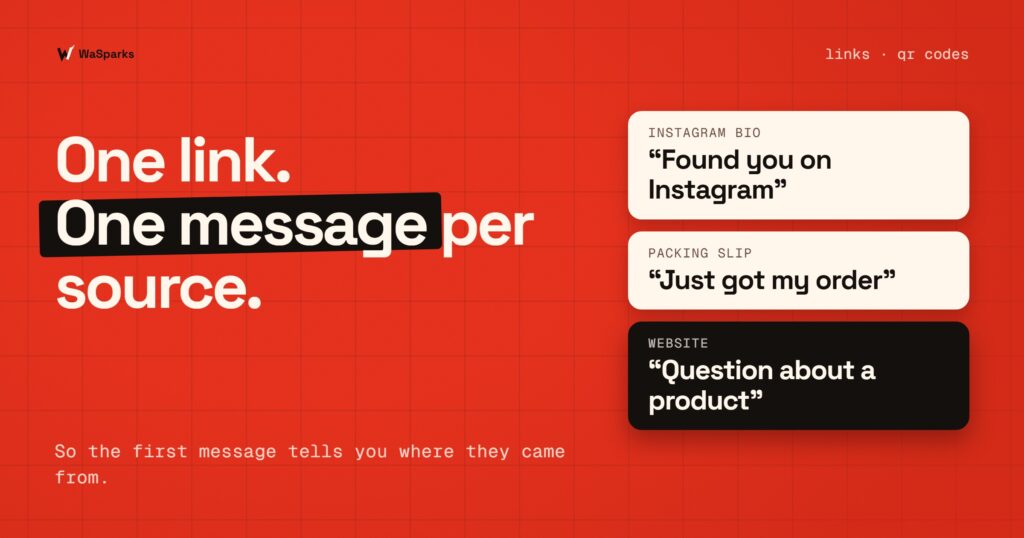
This is the part most stores miss. If every link sends “Hi”, you can’t tell where a customer came from. Give each source its own prefilled message:
- Instagram bio: “Hi, I found you on Instagram”
- Packing slip: “Hi, I just got my order”
- Website: “Hi, I have a question about a product”
- Shop stall or flyer: “Hi, I met you at the market”
Now the first message tells you the source, and a quick reply can respond to each correctly.
Where to place them
- Instagram bio and stories. Put the link in your bio. Reels and stories can say “message us ‘batch’ for the new drop”.
- Packing slips and boxes. Print the QR on every slip. Rohan adds it as the last step of packing.
- Your website. A floating chat button or a “Order on WhatsApp” link on product pages.
- Offline. Stalls, flyers, a card in the box.
Making a QR code
Create the link first, then turn it into a QR code with any free QR generator. Test it with your own phone before printing 500 slips. Print it at least 2 cm across and keep a quiet margin around it.
What happens when they message
The customer’s first message arrives in your shared inbox. Because they started the chat, you can reply freely for the next 24 hours. See how the 24-hour window works. Ask the opt-in question as part of your first reply, as covered in how to get WhatsApp opt-in.
Mistakes to avoid
- Linking a personal number instead of the business number.
- Using the same message everywhere, so the source is lost.
- Forgetting the country code.
- Printing before testing.
See it live: scan-free version: tap here to start a test chat on WhatsApp.
Next: your first week on WhatsApp, a setup checklist. Start 30 days free.
Found this useful? Share it with your team.