 WaSparks
The customer types their order number into the bot. The bot asks which product. They choose it. The bot asks what went wrong. They explain. Then the bot says, “Let me connect you to an agent,” and the agent’s first message is: “Hello, how can I help you?”
The customer repeats everything. By now they are irritated, and the agent does not know why.
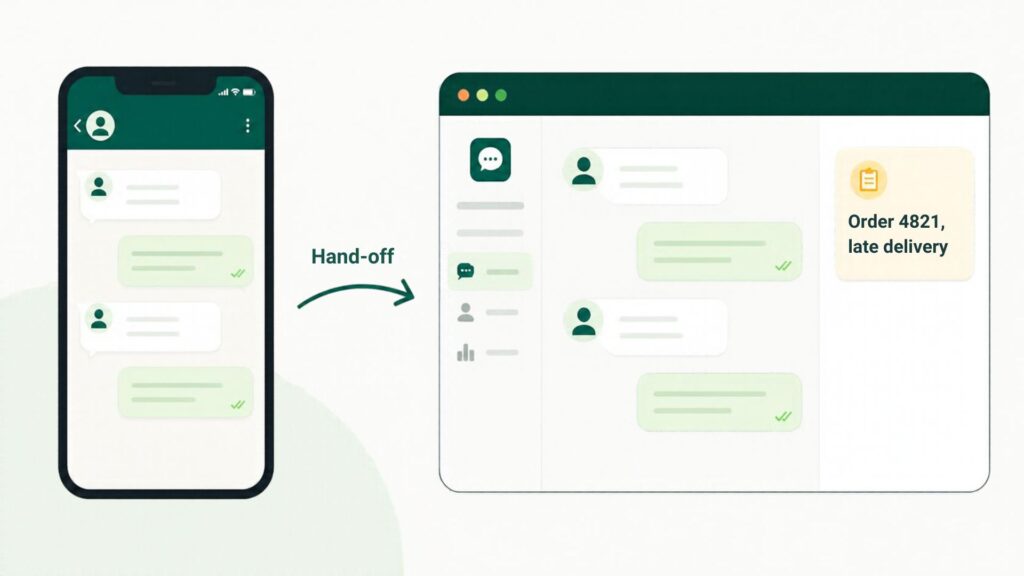
A handoff is the moment where automation ends and a person begins. Most of the frustration happens there, not in the automation itself. A short protocol fixes it.
The cardinal rule
Nobody should be asked for something they already gave. If the bot collected a name, an order number or a request, the agent must be able to see it the moment the chat arrives.
The four parts of a good handoff
1. Decide what the bot should capture
Before building the flow, list what a person would need to resolve the issue. Keep it short: usually a name, the topic and one identifier such as an order number or phone number. Every extra question increases the chance the customer leaves.
In a chat flow, you can ask a few questions and pass the answers to your team. The Lead capture preset is built for this.
2. Decide when the bot must step aside
Write down the situations where a person must take over:
- The customer asks for a person.
- The customer repeats the same question or sounds frustrated.
- The topic is a complaint, a refund or a special request.
- The flow has no matching answer.
If you use Flint to answer customers during the pilot, you decide when a person takes over, and when Flint is unsure it says so and hands the chat to your team, tagged and waiting in the inbox.
3. Route the chat to the right person
A chat that lands in a general pile is slow to answer. A flow can route a chat to a chosen team member automatically, so sales questions reach sales and support questions reach support. If it reaches the wrong person, they can transfer it and note the reason, so the next person does not have to ask again.
4. Make the context visible
When the chat appears in the shared inbox, the agent should see the conversation so far, including what the customer chose and typed. Because every conversation a flow handles is logged step by step, you can also review afterwards what the customer went through.
See it live: See how a chat moves from a menu to a person. Tap here to test on WhatsApp (replies in under 5 seconds)
A handoff script for agents
The first message from a person after a handoff matters. Use the information already collected.
Weak: “Hello, how can I help you?”
Better: “Hi Asha, this is Ravi from the support team. I can see you wrote about order 4821 and a late delivery. Let me check that for you now.”
That single message tells the customer that nothing was lost.
A checklist before you launch
- Does every menu have a way to reach a person?
- Does the flow capture only what the team needs?
- Is each handoff routed to a named person or team?
- Can an agent see the conversation so far on arrival?
- Is there a rule for what happens outside working hours?
- Have you tested the flow from the customer’s side?
What to measure
After a few weeks, look at:
- How many chats the flow resolves without a person.
- How many it hands off, and on which step.
- How long handed-off chats wait before a person replies.
If many customers hand off at the same step, that step needs better wording or an extra option.
Common mistakes
Asking too many questions up front. Three is plenty.
Handing off to nobody. If no one is assigned, the chat sits.
Hiding the exit. If customers have to hunt for a way to reach a person, they will leave a bad review instead.
Ignoring the after-hours case. An after-hours reply should say when someone will respond.
The takeaway
A good handoff passes along what the customer already said, reaches the right person, and sounds like the conversation continues. Build that into the flow once and your team stops starting from zero. Learn more about Flint and chat flows, or start free.
Found this useful? Share it with your team.