 WaSparks
Before you build a WhatsApp list, a catalog or a campaign, check the product. Meta’s Business Messaging Policy restricts certain goods, and an account that sells them can lose messaging features or be disabled. Finding that out after you have collected 2,000 numbers is an expensive way to learn.
This is a plain-words summary of the policy as updated on 23 September 2026. It is not legal advice, and Meta can change it, so treat the policy itself as the final word.
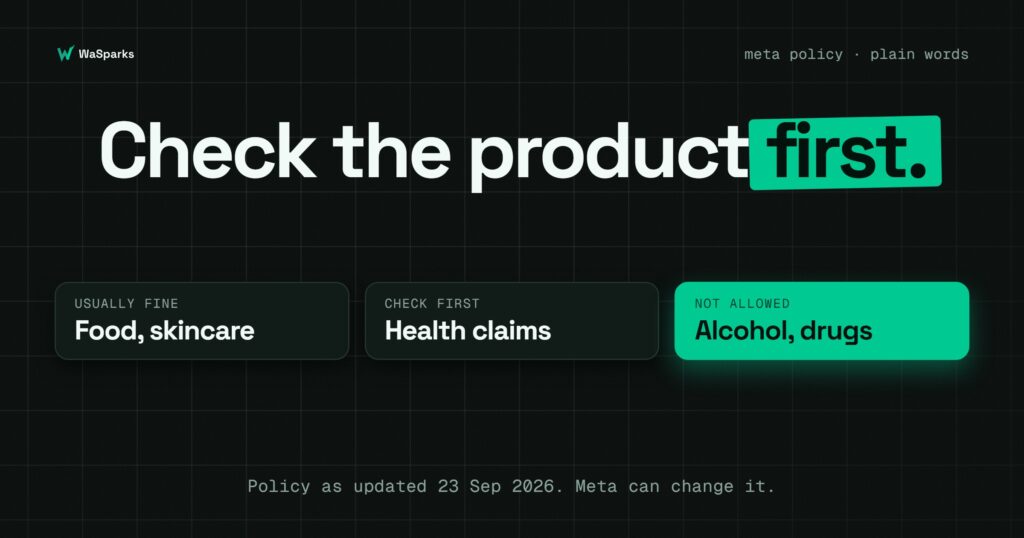
The short version
- Usually fine: packaged food and drink (non-alcoholic), cosmetics and skincare, clothing, jewellery, home goods, stationery, electronics, books, and services such as salons or classes.
- Prohibited: alcohol (India is not an allowed country for it), drugs, and medical and healthcare products.
- Regulated goods: Meta does not offer its catalog or commerce experience for regulated categories. You may still be able to chat with customers, but you can’t run a shop inside WhatsApp.
If your product sits near a line, such as supplements or products that make a health claim, assume it needs a closer read of the policy and consider whether it is worth the risk to your number.
Why food and skincare are different from “health”
Many small food and personal-care brands sit close to the health line. A millet snack is food. A snack sold as a cure for a condition is making a health claim. A moisturiser is a cosmetic. A cream sold to treat a skin disease is closer to a medical product.
The product matters, but so does the language around it. Describe what the item is and what is in it, and avoid claims about treating, curing or preventing anything. This is good practice for WhatsApp messages and for catalog listings, where Meta reviews every item and can reject one it finds misleading.
What the policy asks of every business
Even if your product is allowed, some rules apply to everyone:
- Opt-in is required. You need the customer’s permission to send business-initiated messages. Meta recommends separate opt-in by category, for example one for order updates and another for offers. How to collect it is covered in how to get WhatsApp opt-in from customers.
- Make it easy to stop. Honour opt-outs. See the STOP keyword playbook.
- Automation needs a way out. If a bot or assistant replies, customers must be able to reach a person. The bot-to-human handoff protocol shows how.
- Don’t collect sensitive data in chat. No payment card numbers, government ID numbers or similar details.
A five-minute check before you build
- List your top ten products and read each against the prohibited categories.
- Read your product names and descriptions aloud. Remove any claim that something treats or cures a condition.
- Decide which products belong in a WhatsApp catalog and which are better sold only through your website or chat.
- Check how you collected your customer numbers. If you can’t show opt-in, plan to collect it fresh before you send.
- Save a copy of the policy page with today’s date. Policies change.
How this plays out for a small store
In our illustrative store, Nimbu Lane, the answer is simple: food and a small skincare line are fine, and the store deliberately sells no supplements or health products. That keeps its number clear of the strictest rules. You can follow how the story unfolds in Episode 1.
Your store may be different. If you are unsure, start with the products that are clearly allowed, build your list and your reputation, and add borderline items only after reading the policy closely.
See it live: want to see how a store catalog and chat look on WaSparks? Tap here to test on WhatsApp.
Next: how to get WhatsApp opt-in from customers, then click-to-WhatsApp links and QR codes. Start 30 days free.
Found this useful? Share it with your team.