 WaSparks
You send an order update on WhatsApp from your own system. Your code gets back a success response and moves on. Ten minutes later, a customer complains that nothing arrived. Did it fail? Was it delivered but not read? Did the number block you? A success response from a send call cannot answer any of that.
Webhooks can. They are how the platform tells your system what happened to a message after you sent it, and what customers sent you in reply. This guide covers the pattern we recommend for handling them safely: verify, acknowledge, deduplicate, then process. The ideas apply to any WhatsApp Business Platform setup. The WaSparks-specific details are in the developer documentation and the public API reference, which you should treat as the source for exact field and header names.
What a webhook tells you
With WaSparks, sending through the REST API is asynchronous: the request is accepted and the message is processed afterwards. That means the send response only tells you the request was accepted. The real outcome arrives later, as a signed webhook event.
WaSparks sends HMAC-signed webhooks for three kinds of events:
- Message status. Whether a message you sent moved to sent, delivered, read or failed. Failures include a reason.
- Inbound messages. Replies and new messages from customers.
- Template changes. When a template is approved, rejected or paused.
For an order flow, status events are the ones that matter most. They let you show “delivered” or “read” in your own dashboard, retry or escalate a failure, and keep your records honest.
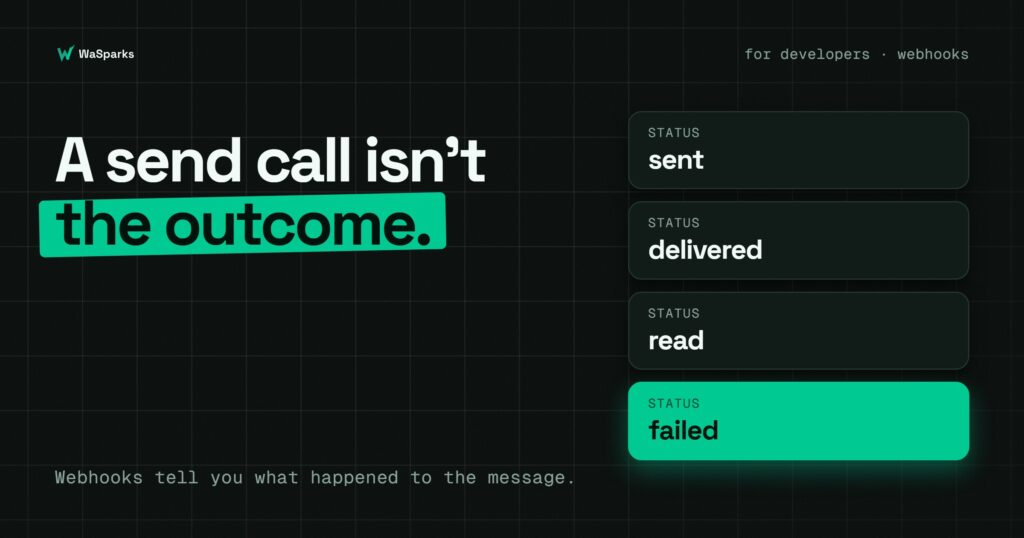
The four statuses
Meta’s message lifecycle gives you four states you will see in practice:
- sent: the message has left the platform for the customer’s device.
- delivered: it reached the customer’s device.
- read: the customer opened it. Not every customer has read receipts on, so you will not always see this.
- failed: it could not be delivered. The event includes a reason.
Meta bills per delivered template message, so delivered and failed matter for cost as well as customer experience. Messages that are not delivered are not billed.
Step 1: Set up a public HTTPS endpoint
Your webhook endpoint is a URL on your server that accepts POST requests. Keep it simple:
- It must be reachable over HTTPS.
- It should respond fast. Do the minimum work in the request itself.
- It should only accept POST requests with the content type the platform sends.
Register the URL as described in the API reference, and use the sandbox first so you can test without sending to real customers.
Step 2: Verify the signature before you trust anything
Anyone who finds your endpoint URL can send it fake events. A signature is how you tell a genuine event from a forged one.
With HMAC signing, the platform computes a hash of the request body using a secret that only you and the platform know, and sends it in a header. You compute the same hash and compare. If they match, the event is genuine.
Here is the pattern in Python. Check the API reference for the exact header name and signing details for your account.
import hmac, hashlib

def is_valid(raw_body: bytes, signature_header: str, secret: str) -> bool:
    expected = hmac.new(secret.encode(), raw_body, hashlib.sha256).hexdigest()
    return hmac.compare_digest(expected, signature_header)
Three details matter here:
- Use the raw body. Compute the hash on the exact bytes you received, before any JSON parsing. Re-serialising the body changes it and the signature will not match.
- Compare in constant time. Use
hmac.compare_digest, not==. - Reject on failure. If the signature is wrong, return an error and do nothing else.
Keep the secret out of your code repository and rotate it if it is ever exposed.
Step 3: Acknowledge quickly, process later
The platform expects a fast response. If your endpoint takes too long or returns an error, it may retry the event, and the retries are how duplicates begin.
The safe pattern:
- Verify the signature.
- Save the raw event to a queue or table.
- Return a success response immediately.
- Process the event in a background worker.
Do not call other services, send emails or update a dozen tables inside the request itself.
Step 4: Make processing idempotent
Webhooks can arrive more than once, and they can arrive out of order. Your system must cope with both.
Deduplicate. Each event can be identified by the message ID together with the status. Store what you have already processed and ignore repeats. A unique database constraint on those two values is the simplest way to enforce it.
Never move a status backwards. If you have recorded “read” and a late “delivered” event arrives, keep “read.” Define an order: sent, then delivered, then read. A failed event is separate and should be recorded with its reason.
Update, do not append blindly. Use an update that sets the status only if the new one is further along.
A simple version:
ORDER = {"sent": 1, "delivered": 2, "read": 3}

def apply_status(message, new_status):
    if new_status == "failed":
        message.status = "failed"
    elif ORDER[new_status] > ORDER.get(message.status, 0):
        message.status = new_status
    message.save()
Step 5: Handle failures on purpose
A failed event includes a reason. Treat different reasons differently:
- Outside the 24-hour window: the message needed an approved template. Send a template instead.
- Template not approved or paused: stop sending it and fix the template.
- Recipient problems: the number may be invalid or the customer may not be reachable. Do not keep retrying.
- Quality or limit problems: check your number’s quality rating and messaging tier before sending more.
Never retry in a tight loop. It will not fix a policy failure, and it can damage your number’s standing.
Using it for order tracking
For an order notification, a sensible setup looks like this:
- Your system sends an order template when the order is dispatched.
- A status webhook updates the order’s notification record to delivered or read.
- A failed event raises a task for your team, who can follow up another way.
- An inbound webhook delivers the customer’s reply into the team inbox, where your staff pick it up.
Replies land in the WaSparks team inbox, so a customer who writes back “where is my order?” reaches a person, not a dead end.
A pre-launch checklist
- Endpoint is HTTPS and returns quickly.
- Signature is verified on the raw body, in constant time.
- Events are stored before processing.
- Duplicate events are ignored.
- Status never moves backwards.
- Failed events have a defined response.
- You have tested in the sandbox, not on real customers.
The takeaway
A send call tells you a request was accepted. Webhooks tell you what happened. Verify every event, respond fast, process in the background and make every update safe to repeat. Public API access and webhooks are included on Spark and above, and there is a sandbox for testing. Read the API reference for the exact setup, or see the plans to pick one.
Found this useful? Share it with your team.