 WaSparks
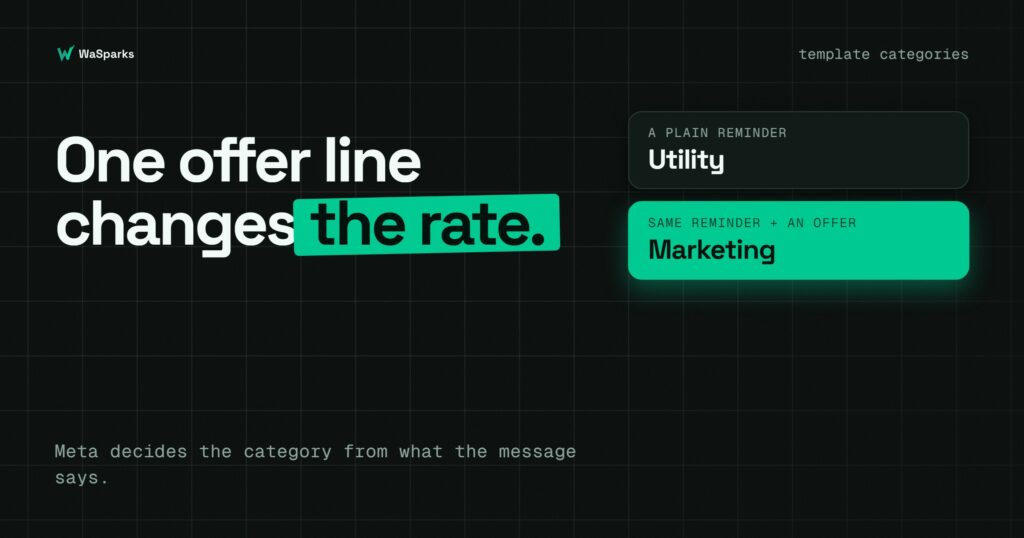
A clinic, a store or a coaching institute writes a simple appointment reminder. Then someone on the team adds a line at the bottom: “Book your next visit this month and get 10% off.” It feels harmless. It is also the reason the whole message is now billed as marketing.
Meta prices every template message by its category and by the country of the customer. In India, based on the rate card effective 1 July 2026, a marketing message costs ₹0.8631 and a utility message costs ₹0.1150. That is a gap of about 87%. Rates can change at the start of any quarter, so use the pricing calculator for the current figure before you plan a budget. What does not change is the principle: the category depends on what the message says, not on what you call it.
This guide explains how Meta draws the line, which mistakes push a message into marketing, and how to write templates that stay honest about what they are.
The three categories in plain words
Meta sorts every template into one of three categories.
Utility follows up on something the customer did or asked for. It must be non-promotional, and it must be specific to that customer or essential to them. Order confirmations, delivery updates, appointment reminders and payment due notices are the usual examples.
Marketing covers awareness, sales, retargeting and relationship-building. Offers, announcements, new arrivals, festival greetings and birthday wishes all land here. Meta’s own examples treat a festival or birthday greeting as marketing, even if there is no discount in it.
Authentication is for one-time passcodes only. If a template carries an OTP, it must be an authentication template.
The rule that surprises people most is this: if a message mixes utility content with any promotion, Meta treats it as marketing. There is no “mostly utility” category.
What it means for cost
Meta bills per delivered template message. Messages that are not delivered are not billed. Marketing is the highest rate, utility is lower, and a utility template sent inside an open 24-hour customer service window is free. Replies to a customer who messaged you first are free as well.
So the category affects your costs in two ways. A promotional line in a reminder moves each send from the utility rate to the marketing rate. And a reminder sent while the customer’s window is open may cost nothing at all, which is a reason to reply quickly to people who write to you.
How Meta’s review treats your category
Since 9 April 2025, if you submit a template as utility and Meta judges it to be marketing, it is approved as marketing at creation. You do not get a rejection that forces you to fix it. You get a marketing template, billed at the marketing rate, even if you intended utility.
Approved utility templates are also re-checked from time to time. If Meta decides a template has drifted into marketing, it is normally switched with about a day’s notice, and an appeal can be raised within 60 days. Accounts that have been warned about misuse can be switched immediately.
The practical lesson: write the category you mean, and keep the message honest about it. Trying to disguise a promotion as a reminder rarely works, and it can put your account on Meta’s radar.
Five mistakes that turn a utility message into marketing
1. Adding an offer to a confirmation. A discount, coupon code or “shop now” link in a booking or order message makes it marketing.
2. Sending a generic survey. A “how did we do?” message is not utility unless it is tied to a specific order or interaction.
3. Using a greeting as a hook. “Happy Diwali from all of us” is marketing, even if you follow it with an order update.
4. Pushing a renewal with a saving. “Your plan expires soon, renew today to save” is retargeting, which is marketing. A neutral “your plan expires on 30 October” can be utility.
5. Leaving the template unclear. A message that is only a variable, or just says “Congratulations!”, is treated as marketing.
Before and after: compliant examples
These are examples of wording that tends to match Meta’s definitions. Meta decides each case, and we cannot promise how any individual template will be reviewed.
Appointment reminder
Mixed (treated as marketing):
“Hi {{1}}, your appointment is tomorrow at {{2}}. Book your next visit this month and get 10% off!”
Utility-style:
“Hi {{1}}, this is a reminder that your appointment is tomorrow at {{2}}. Reply here if you need to reschedule.”
Order update
Mixed:
“Your order {{1}} has shipped. Shop our new arrivals today!”
Utility-style:
“Your order {{1}} has shipped and is expected on {{2}}. You can track it here.”
Payment reminder
Meta’s own guidance treats a payment due reminder without promotion as utility. Keep it neutral and do not threaten or shame the customer, because abusive or threatening wording is a policy violation in itself.
“Hi {{1}}, a payment of ₹{{2}} is due on {{3}}. Please reply here if you have any questions.”
Format rules that cause rejections
Category is only one reason a template fails. Meta’s format rules are strict, and most rejections come from small errors:
- Variables must be numbered in order: {{1}}, {{2}}, {{3}}, with no gaps.
- The body cannot start or end with a variable.
- Every variable needs a sample value, and sample values should not contain #, $ or %.
- The body can be up to 1,024 characters.
- Do not place two variables side by side. Put a word between them.
- Never ask for full card numbers, bank account numbers or ID numbers such as Aadhaar or PAN.
In the WaSparks template builder, you pick a category, write the message and add buttons, and the format checks run as you type. These are Meta’s format rules; approval also depends on Meta’s own content review.
See it live: Curious how a reminder looks when it lands on a customer’s phone? Tap here to test on WhatsApp (replies in under 5 seconds)
A simple routine before you submit
- Ask what the customer did. If there is no action or request behind the message, it is probably marketing.
- Remove anything persuasive. Offers, urgency, upsells and “check out” links all count.
- Read it as Meta would. Would a stranger call it a notification or an advertisement?
- Pick the honest category, and accept the marketing rate where it applies.
- Check the estimate. Every campaign shows its estimated Meta cost before it sends.
The takeaway
The category is decided by the content, and one promotional line can change the rate on every message you send. Keep reminders and updates clean, put offers in marketing templates sent to people who opted in, and use the calculator to see the difference before you send. Meta bills its message charges to your WhatsApp account directly, not through WaSparks. You can start 30 days free to build and submit your first templates.
Found this useful? Share it with your team.