 WaSparks
“To use the WhatsApp API, you have to delete your WhatsApp account, lose your chats and start again.” That sentence has stopped more small businesses from upgrading than any price. It used to be close to true. It is no longer the only path.
Today there are two ways to move an existing number onto the WhatsApp Business Platform without throwing away your customer relationships: coexistence, which lets the app and the platform share one number, and migration, which moves a number from one provider to another. This guide explains both, what carries over, and what changes. When you are ready to do it, the step-by-step keep your number guide walks through the process.
The myth, and what is true now
The myth: moving to the API means deleting your account, losing every chat and giving customers a new number.
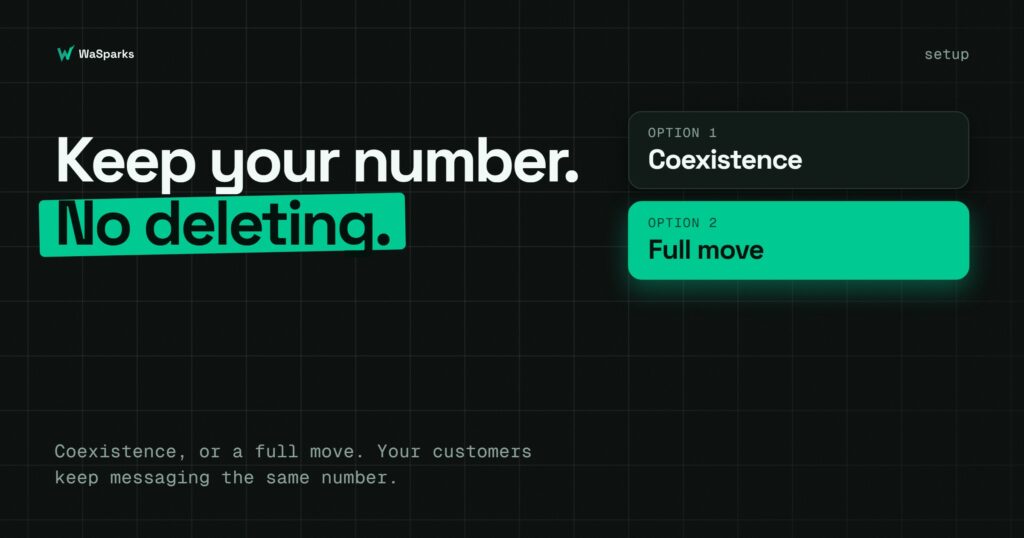
What is true: your customers keep messaging the number they already know. Depending on your situation, you either keep the app alongside the platform, or move the number fully, with Meta’s own signup flow guiding the connection.
Option 1: Coexistence (keep the app and add the platform)
Coexistence lets one number work in the WhatsApp Business app and on the platform at the same time. It has been available in India since 5 May 2025.
What you need
- The WhatsApp Business app (not the personal WhatsApp app), at version 2.24.17 or later.
- Access to the Facebook account that manages your business.
- To connect through Meta’s Embedded Signup flow.
What carries over
- The last six months of chats.
- Your contacts.
What changes in the app once connected
- Broadcast lists become read-only.
- Disappearing messages, view-once media and live location are disabled for the linked number.
- Product catalog sending is not available on numbers that are linked to the app.
What to remember
- If the phone is inactive for roughly 14 days, the link can disconnect, so keep the app in regular use.
- Throughput through the platform is up to about 20 messages per second on coexistence numbers.
Coexistence suits a business that wants its owner or principal to keep using the phone while a team works from the shared inbox. It is also a low-risk way to try a platform.
Option 2: Move the number fully
If you do not need the app, or the coexistence limits matter to you (catalog sending, for example), you can move the number fully to the platform. The number becomes API-only. Your team works in the platform inbox, and the app no longer runs on it.
This is also the route when you are changing from one provider to another.
Switching from another provider
Meta allows a number to move between providers, and the number’s standing travels with it. When you migrate a number between solution providers through Embedded Signup:
What carries over
- The display name.
- The quality rating and messaging limits.
- Official business account status, if you have it.
- Approved templates with a high quality rating.
What to plan for
- Templates are re-reviewed in the new account and start with an unknown quality rating, so give yourself time before a big campaign.
- Templates cannot be used until they have been migrated.
- Two-step verification must be turned off before you move the number.
Do not promise yourself “zero downtime” or “everything copies over automatically”. Move at a quiet time, and test a few messages before you announce anything.
A checklist before you start
- Decide: coexistence or full move. Does your team need the app, or the catalog, or neither?
- Check the app version if you are choosing coexistence.
- Back up what matters. Export any chats you cannot afford to lose.
- Turn off two-step verification if you are migrating a number.
- Gather your business details: the Facebook account, your business name, category and website.
- List your templates so you can recreate or resubmit them.
- Plan a quiet time to switch, and tell your team.
What happens after you connect
Once the number is connected, you can use everything the platform offers:
- A shared team inbox where chats are assigned and transferred with a reason.
- Campaigns from a CSV, paced to your messaging tier, with a status for every recipient.
- Templates submitted to Meta, with approval status shown.
- Account health, including quality rating and tier.
- Chat flows for common questions.
Your number’s quality rating and messaging tier are visible in the app, and new numbers ramp up gradually through a warm-up schedule.
Common questions
Will my customers notice? They keep messaging the same number. Messages sent through the platform follow the platform’s rules, such as templates outside the 24-hour window.
Do I lose my existing chats? With coexistence, the last six months sync. With a full move, plan to export anything you need beforehand.
Can I try it without committing? Yes. WaSparks offers a 30-day free trial on a real number with no card needed to start.
Is this the same on every platform? Coexistence is a Meta feature, so other platforms support it too. Check each provider’s process.
The takeaway
You do not have to delete your WhatsApp account to use the API. Pick coexistence if you want to keep the app, or move the number fully if you do not. Either way, your customers keep the number they know. Follow our step-by-step guide, or start 30 days free to connect your number.
Found this useful? Share it with your team.