 WaSparks
A customer asks about a delivery at 4 pm. Your team is busy, and the reply goes out the next evening. When the agent tries to answer, WhatsApp refuses to send a normal message. The only option is an approved template. The customer has waited a day, and now your reply has to go out in a format you did not plan for.
This is the 24-hour customer service window at work. It is one of the most important rules on the WhatsApp Business Platform, and understanding it affects both your response times and your costs.
What the 24-hour window is
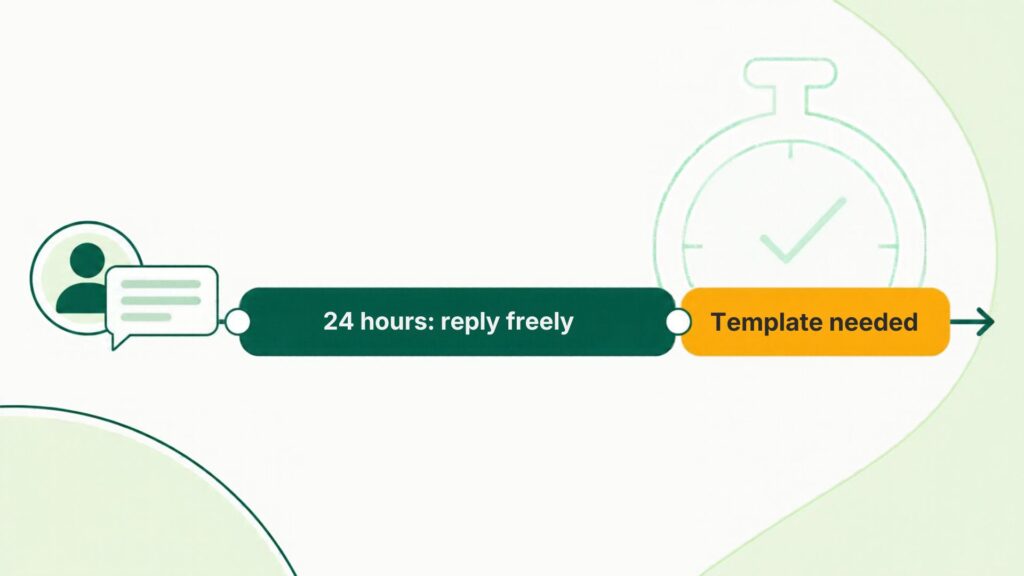
When a customer sends your business a message, a 24-hour window opens. Each new message from the customer restarts it.
Inside the window, you can reply freely: text, images, documents and quick replies, without a template.
Outside the window, you cannot send a free-form message. To start the conversation again, you need an approved template.
The window is about who messaged first and when. It is not a limit on how long a chat can last.
What it means for cost
Meta charges per delivered message, based on the category of the message and the customer’s country. Rates can change, so check the current rate card.
As a general rule, based on Meta’s current pricing model:
- Replies sent as ordinary messages inside the window are not charged.
- Template messages are charged by category: marketing, utility or authentication.
- Utility templates sent inside the customer service window are not charged.
- Messages that are not delivered are not billed.
This is why the window is valuable. If your team replies quickly, a large share of your support conversations can cost nothing in Meta fees. Slow replies push you toward templates.
Meta’s pricing has details and exceptions, including entry-point windows linked to certain ad clicks. Use the pricing calculator to estimate costs for your country and category, and check Meta’s documentation for the latest rules.
How WaSparks handles the window
You do not have to track the clock yourself. In the WaSparks inbox:
- You can reply freely while the customer’s window is open.
- Once it closes, WaSparks asks for an approved template.
- You can send any approved template, with its header, buttons and media, without leaving the conversation.
Why teams lose the window
Slow first response. A chat waits for hours because nobody owns it. Assigning each chat to a person removes the “someone else will answer” problem.
Shift handovers. A customer writes at 6 pm, the team goes home, and the window closes overnight. A clear handoff routine with a note on what is pending helps the next shift.
Weekend gaps. Messages arriving on Friday evening can expire by Saturday night. An after-hours flow can acknowledge the customer and say when you will reply, which gives them something to hold on to.
No templates ready. When the window closes, the team scrambles to write a template. Having a few approved utility templates, like a delivery update or an appointment follow-up, saves the day.
See it live: Message our demo number and watch how an open window feels from the customer’s side. Tap here to test on WhatsApp (replies in under 5 seconds)
A simple routine to protect the window
- Assign every new chat to someone. Unassigned chats are the ones that expire.
- Reply with a first response quickly, even if it is just “We are checking and will get back to you today.”
- Keep a pending-with-customer list. Chats waiting for the customer’s answer should not be forgotten.
- Have approved templates for common follow-ups. Order updates, appointment confirmations and payment reminders.
- Review chats about to close at end of shift. Hand them over with a note.
What cannot be done even inside the window
The window allows free-form messages, but not marketing broadcasts to people who have not opted in. Your messages still have to follow Meta’s commerce and business policies, and customers who reply STOP should not receive further campaigns. In WaSparks, a customer who replies STOP is left out of every future campaign automatically.
The takeaway
The 24-hour window rewards fast replies. Inside it, you can answer freely and often at no Meta charge. Outside it, you need an approved template. Assign chats, answer quickly, and keep a few templates ready. See how the inbox handles this on the features page, or start free.
Found this useful? Share it with your team.