 WaSparks
A furniture retailer sends a festive offer to 8,000 customers on a Friday afternoon. By Friday evening, the same WhatsApp number is carrying 300 replies, half of them asking about the offer, the rest being people who were already waiting on a delivery update. The support team cannot find the urgent chats. Three customers report the message as unwanted. By Monday, the number’s quality rating has slipped.
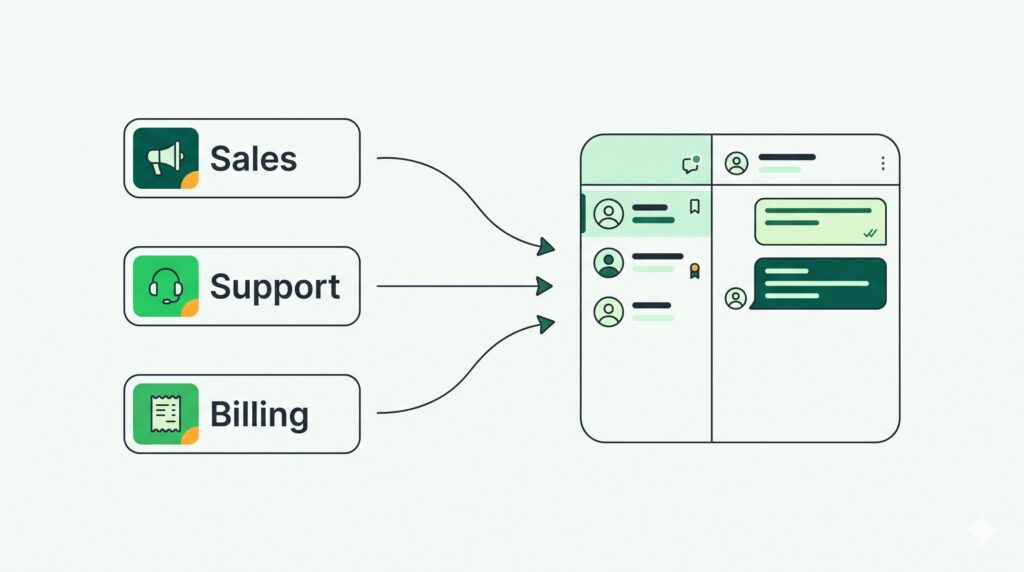
Nothing about that story is unusual. It happens when one number is asked to do three different jobs: sell, support and bill. The fix is not a bigger team. It is giving each job its own number, and running them with one team on one platform.
Why one number for everything breaks down
Promotional volume drowns urgent chats. Marketing replies and support requests share one queue, so an angry customer waits behind fifty people asking about a discount code.
One bad campaign hurts everything. Your quality rating is tracked per number. If a promotional send gets blocked or reported, the number that also carries your order updates and payment reminders takes the hit.
Nobody owns the number. When sales, support and accounts all message from the same place, no one is accountable for the tone or the response time of the whole thing.
Reporting gets muddy. If every chat lands in one stream, you cannot say how fast support replies or how many sales conversations turned into orders.
What a clean split looks like
Most growing businesses need only three numbers.
Number 1: Sales and marketing. Campaigns, offers, catalog messages and lead follow-ups. This is the number most exposed to blocks and reports, so keeping it separate protects the others.
Number 2: Support and FAQs. Order questions, delivery issues, complaints and returns. This number should send very little unprompted, which keeps its quality rating healthy and its replies fast.
Number 3: Billing and reminders. Payment reminders, invoices, appointment and renewal reminders. These are expected, transactional messages that customers rarely report.
Each number has its own display name, quality rating and messaging tier in Meta’s system. That is the point: a problem on one number stays on that number.
How to run it without tripling the work
The worry with several numbers is that your team ends up juggling several phones or several logins. A shared inbox solves that.
One team, one platform. Your team works in a single WaSparks account instead of juggling separate phones. Blaze includes three numbers, so the sales, support and billing split fits inside one plan.
Assign by job, not by phone. Support staff take support chats. Sales staff take sales chats. When a customer in the wrong place needs a different team, transfer the chat and note the reason so the next person does not have to ask again.
Roles keep access sensible. Give accounts staff access to billing conversations and not the whole sales pipeline. Owners and admins see everything.
Separate campaigns per number. A sale announcement goes out on the sales number only. Reminders go out on the billing number only. The campaign setup shows you the estimated Meta cost before you send, so you know what each send will cost.
See it live: Want to see how a shared team inbox picks up a customer chat? Tap here to test on WhatsApp (replies in under 5 seconds)
A simple rollout in four steps
- List the jobs your number does today. Write down every kind of message you send and receive. Group them into selling, supporting and billing.
- Add numbers one at a time. Start by moving your promotional sending to its own number. That single change protects your support number the most.
- Set clear display names and greetings. Customers should understand which number to use for what. A short greeting that says “This is our support line” avoids confusion.
- Tell customers once. When you start using the new numbers, send a short message from the old one pointing to the right place for each need.
What it costs on WaSparks
The number of WhatsApp numbers is part of your plan. Ember and Spark include one number. Blaze, at ₹4,999 a month plus GST, includes three, which maps directly to the sales, support and billing split above. Larger setups with more numbers are arranged on Inferno. Team seats are unlimited on Spark and Blaze, so adding staff to cover three numbers does not add a per-seat charge. You can see the full comparison on the pricing page.
Meta’s own per-message charges are billed to your WhatsApp account by Meta, not by us. Use the pricing calculator to estimate them before you send.
Common mistakes to avoid
Splitting too early. If you send a few hundred messages a month, one number is fine. Split when volume or complaints make one queue unmanageable.
Using a personal number as a second line. Each number must be a proper WhatsApp Business number connected to the official platform, not a spare personal one.
Forgetting opt-outs. A customer who replies STOP is excluded from future campaigns across your account. Keep your message content honest so fewer people reach that point.
The takeaway
Give each job its own number, and give your team one platform to run them. Your promotions stop interfering with your support, a problem stays contained, and every conversation has an owner. To see how the team inbox works, start on Ember or see how it fits your team on the features page.
Found this useful? Share it with your team.